本教程属于永久修改IP教程
1-1.查看机器目前的网卡有哪些
cd /run/systemd/network/
ls -l
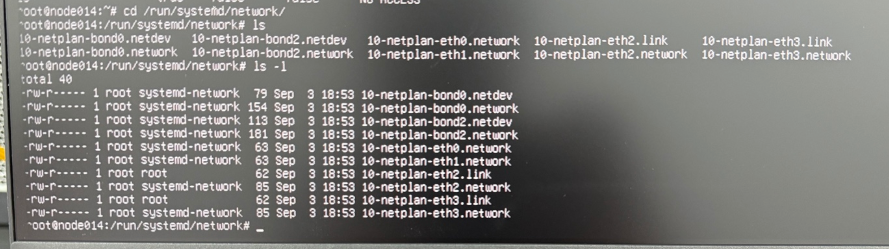
如图所示:
有2个逻辑网卡:bond0、bond2
有4个物理网卡:eth0、eth1、eth2、eth3
1-2.输入以下命令查看每个网卡接口速率:
ethtool eth0 | grep -E "Speed|Link detected"
ethtool eth1 | grep -E "Speed|Link detected"
ethtool eth2 | grep -E "Speed|Link detected"
ethtool eth3 | grep -E "Speed|Link detected"
然后找到符合速率的网卡。
1-3.查看配置文件
ls -l /etc/netplan/

下面81为业务网配置文件、99为存储网配置文件:
81-mgmt.yaml
99-storage-network.yaml
1-4.编辑配置文件内容:
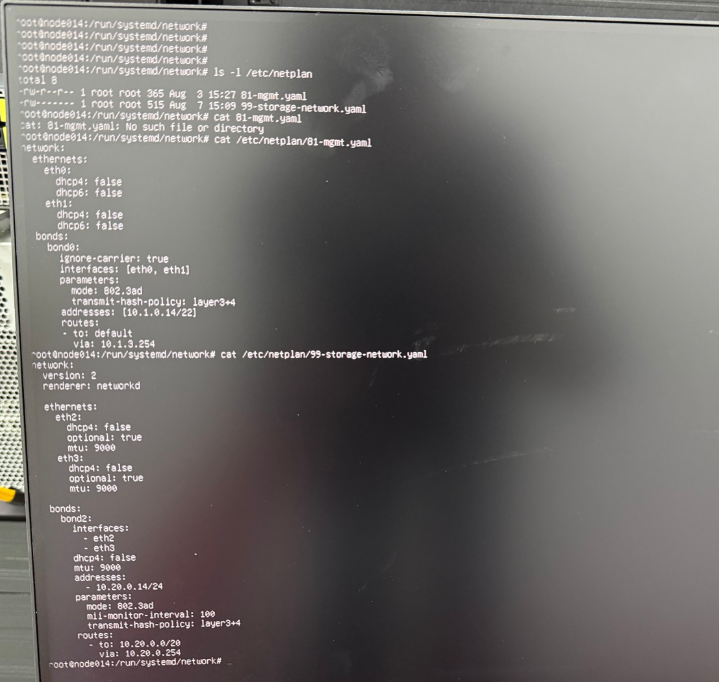
addresses: [10.1.0.14/22]
routes:
  - to: default
    via: 10.1.3.254


意思如下:
IP:10.1.0.14
掩码:/22,即 255.255.252.0
默认网关:10.1.3.254
接口:bond0
物理成员:eth0 + eth1
Bond 模式:802.3ad,也就是 LACP
1-5.应用配置
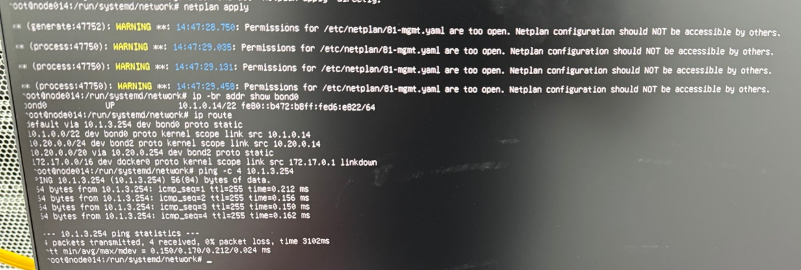
netplan apply
1-6.检查网络是否正常:
ip -br addr show bond0
ip route
ping -c 4 10.1.3.254
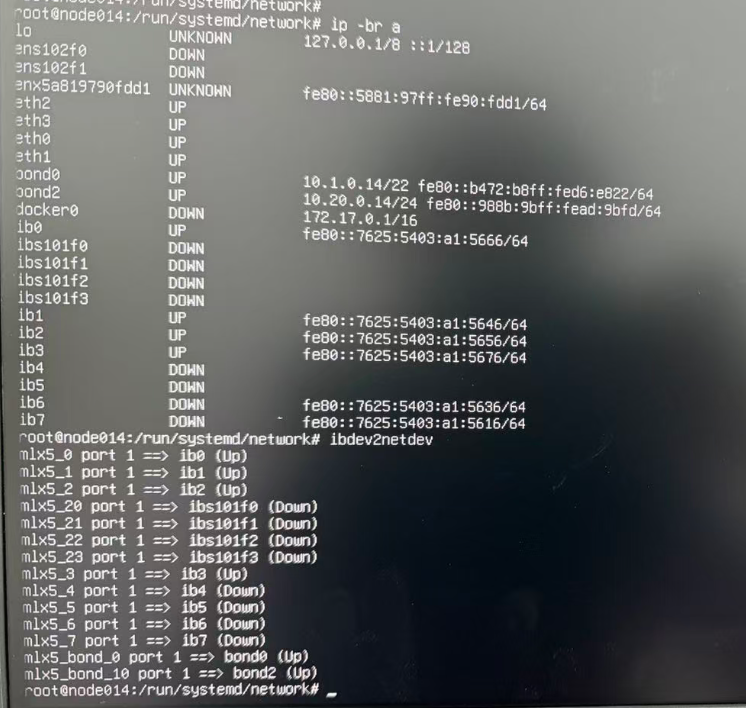
1-7.查看网卡工作状态:
ip -br -c addr
ibdev2netdev
end…